Set up your workspace with the welcome wizard
The first time you sign in, Neura runs a short welcome wizard to get you started. You tell it whether you want help with support, sales, or both, add your website so Neura can learn about your business, and Neura creates your first setup for you. This is the fastest way to get a workspace ready without building everything manually.
Before you begin
- You’ve created a Neura account and are signing in for the first time.
- If you need an account first, see Sign up.
Steps
-
Sign in to Neura for the first time to open the welcome wizard.
-
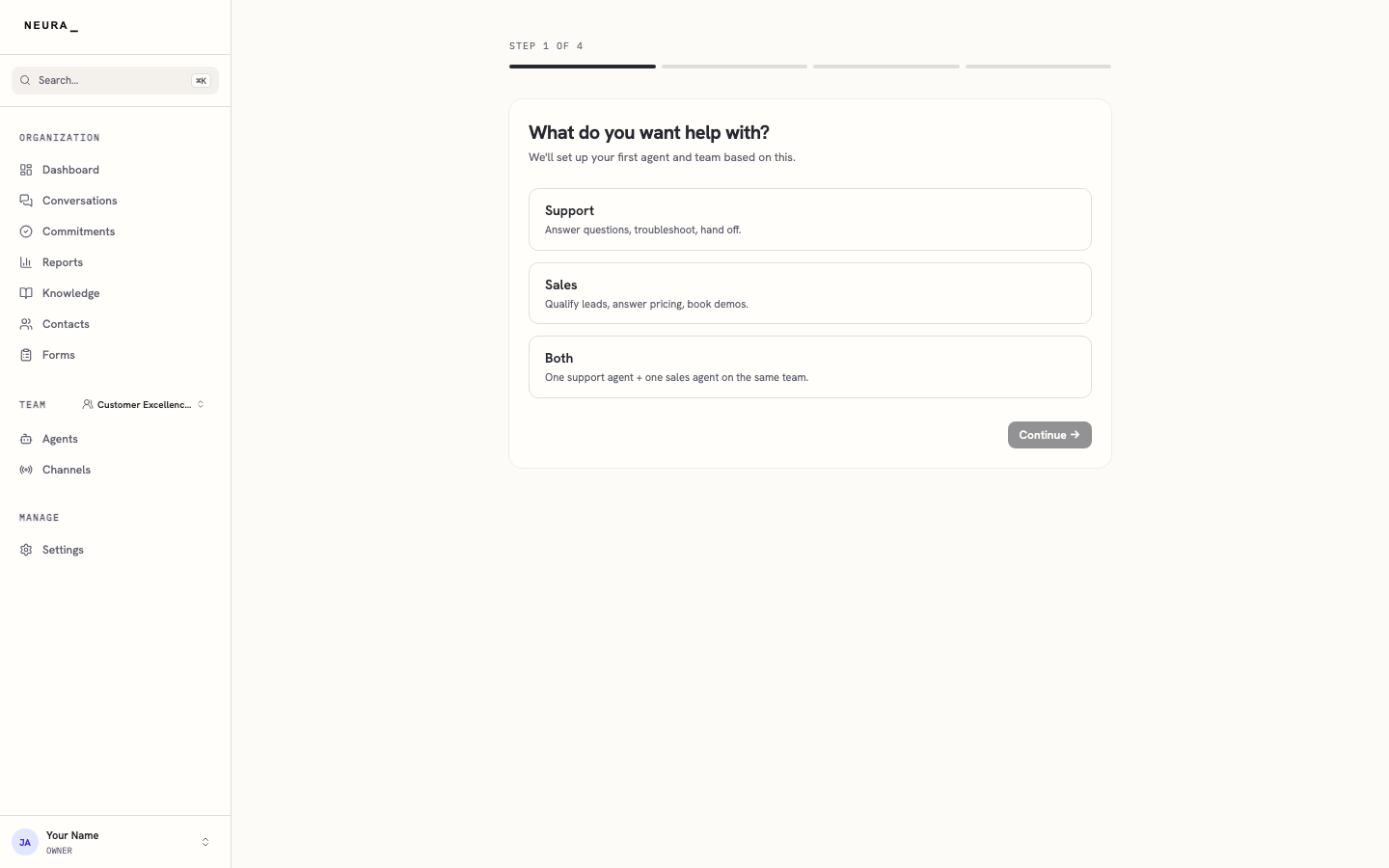
Choose whether you want help with Support, Sales, or Both.
-
Click Continue.
-
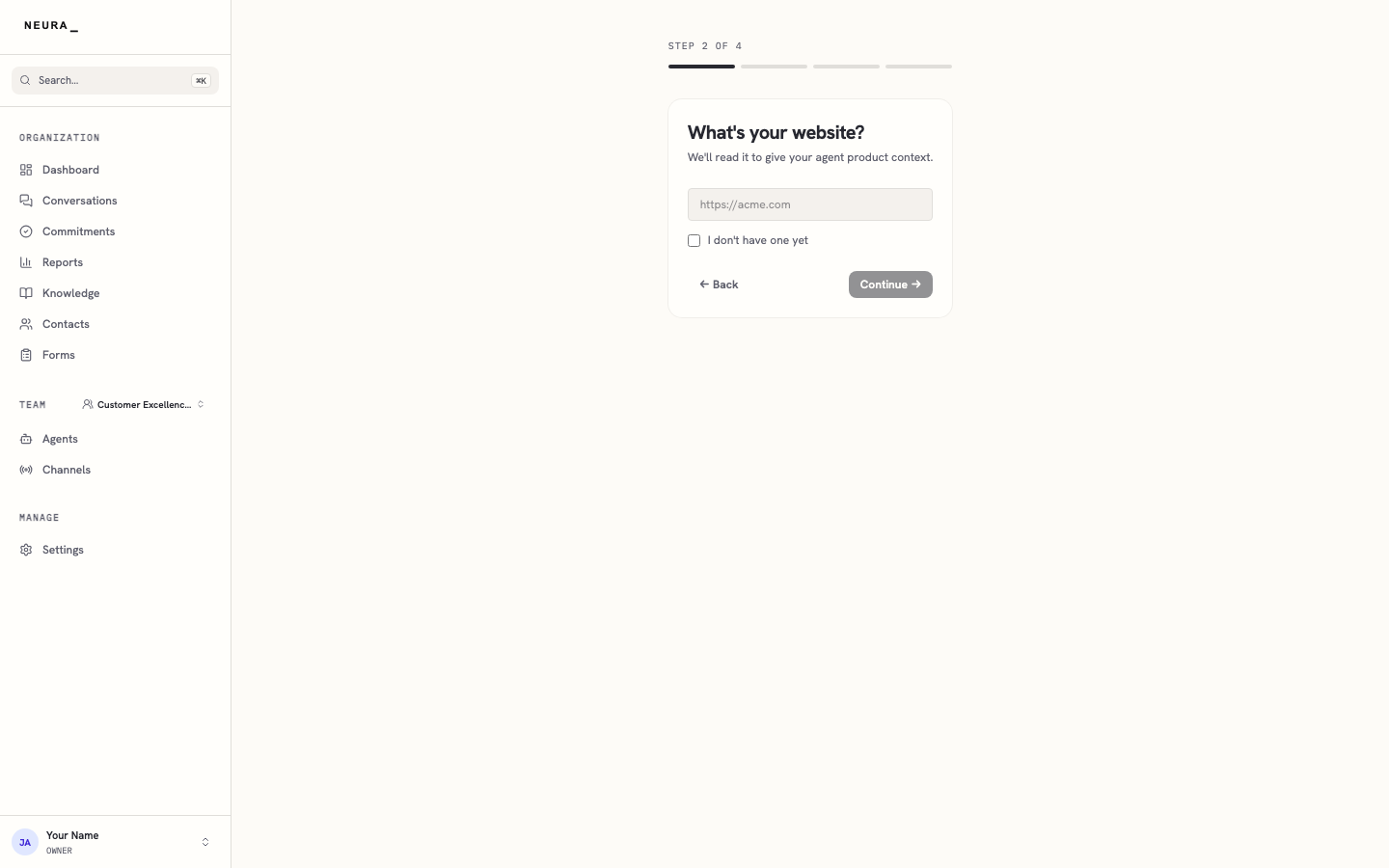
Enter your website address in the website field so Neura can read it and learn about your business.
-
Click Continue.
-
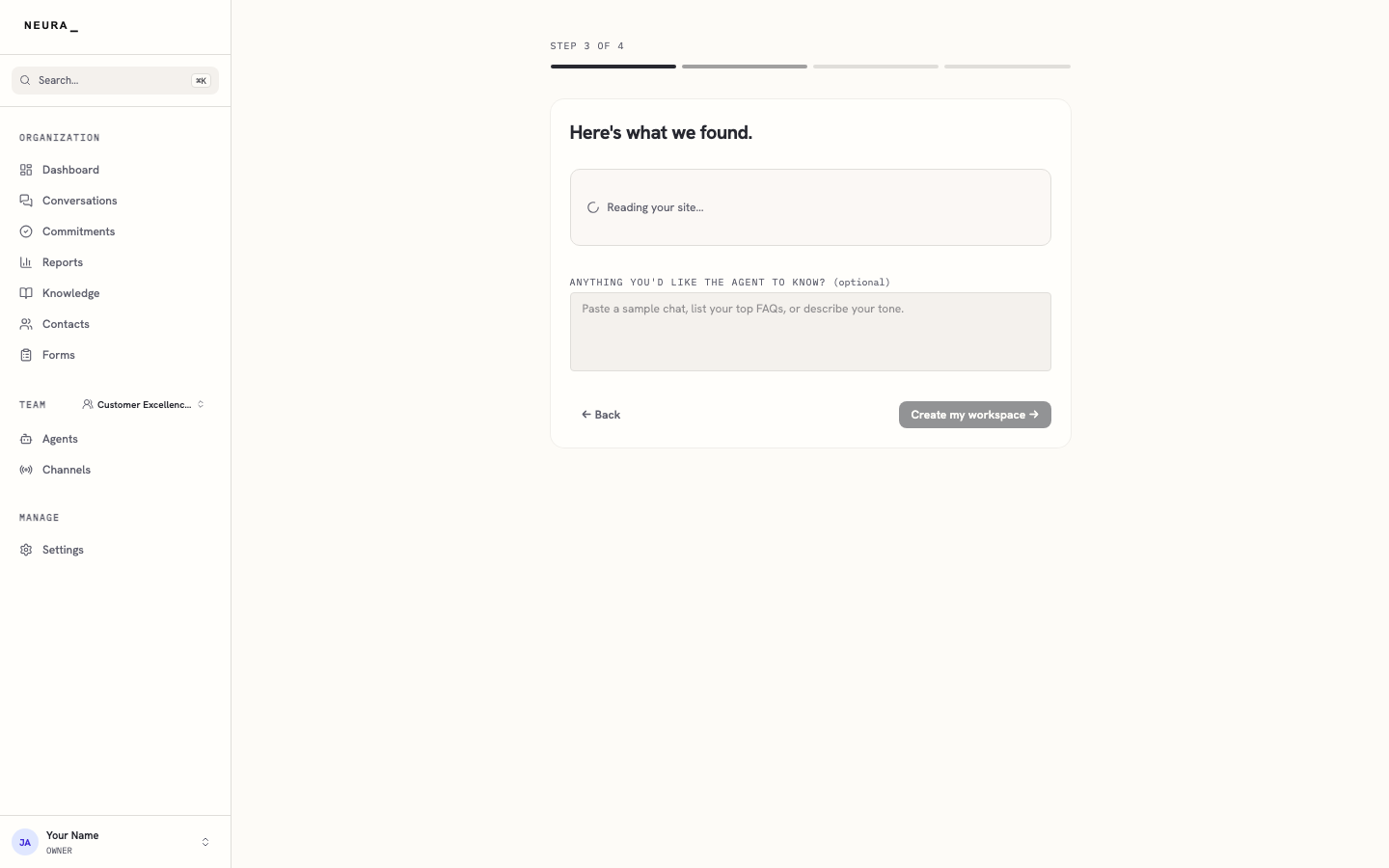
Review what Neura found, add anything helpful in ANYTHING YOU’D LIKE THE AGENT TO KNOW? (optional) if needed, and click Create my workspace.
You’ll know it worked when
When you finish the last step, Neura builds your workspace — your first agents and a web chat channel — and takes you to your dashboard, ready to use.