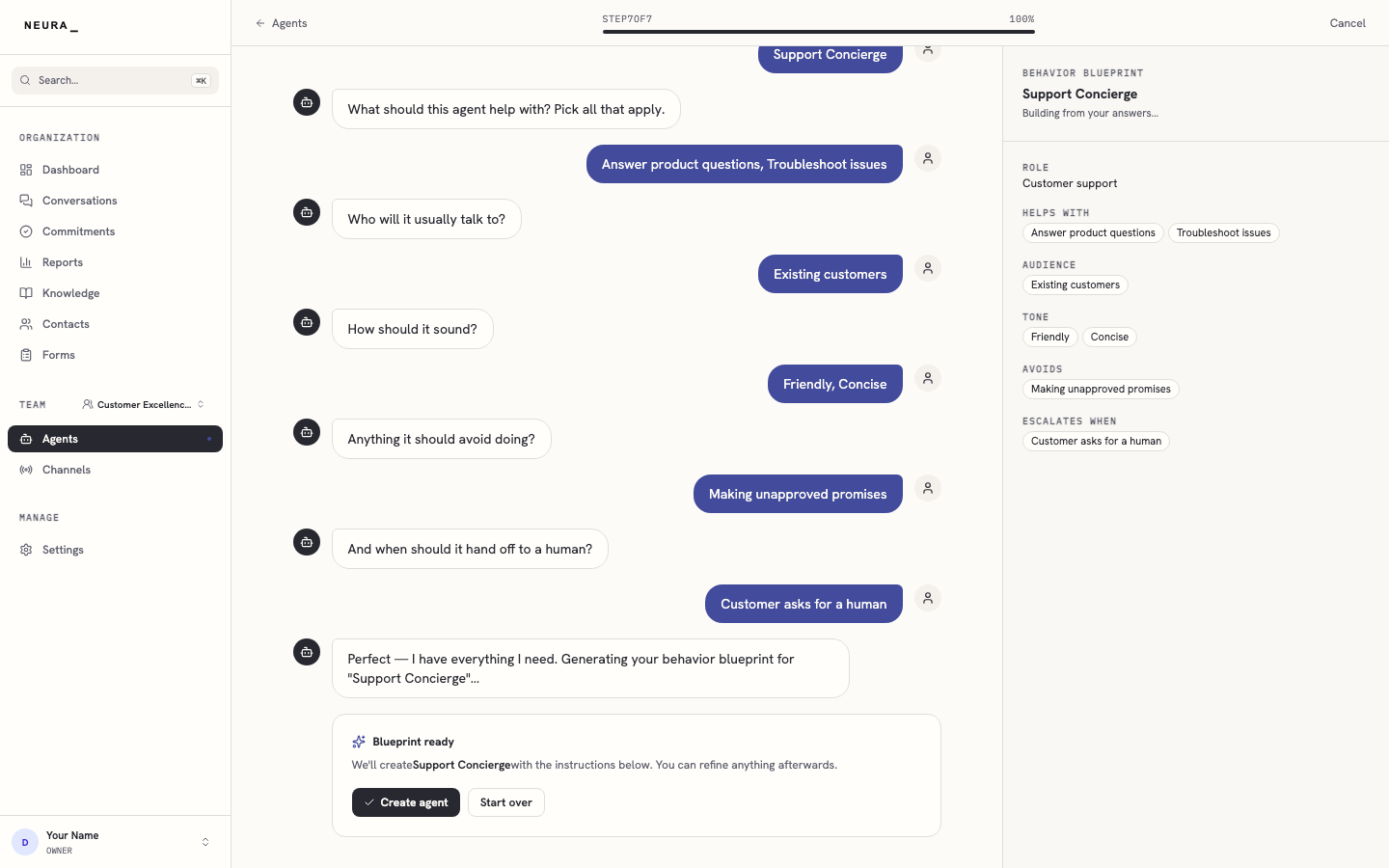
Create your first agent
Use the New Agent wizard to create an agent and define its role, audience, tone, and escalation behavior.
Before you begin
- An active Neura account you can sign in to.
Steps
-
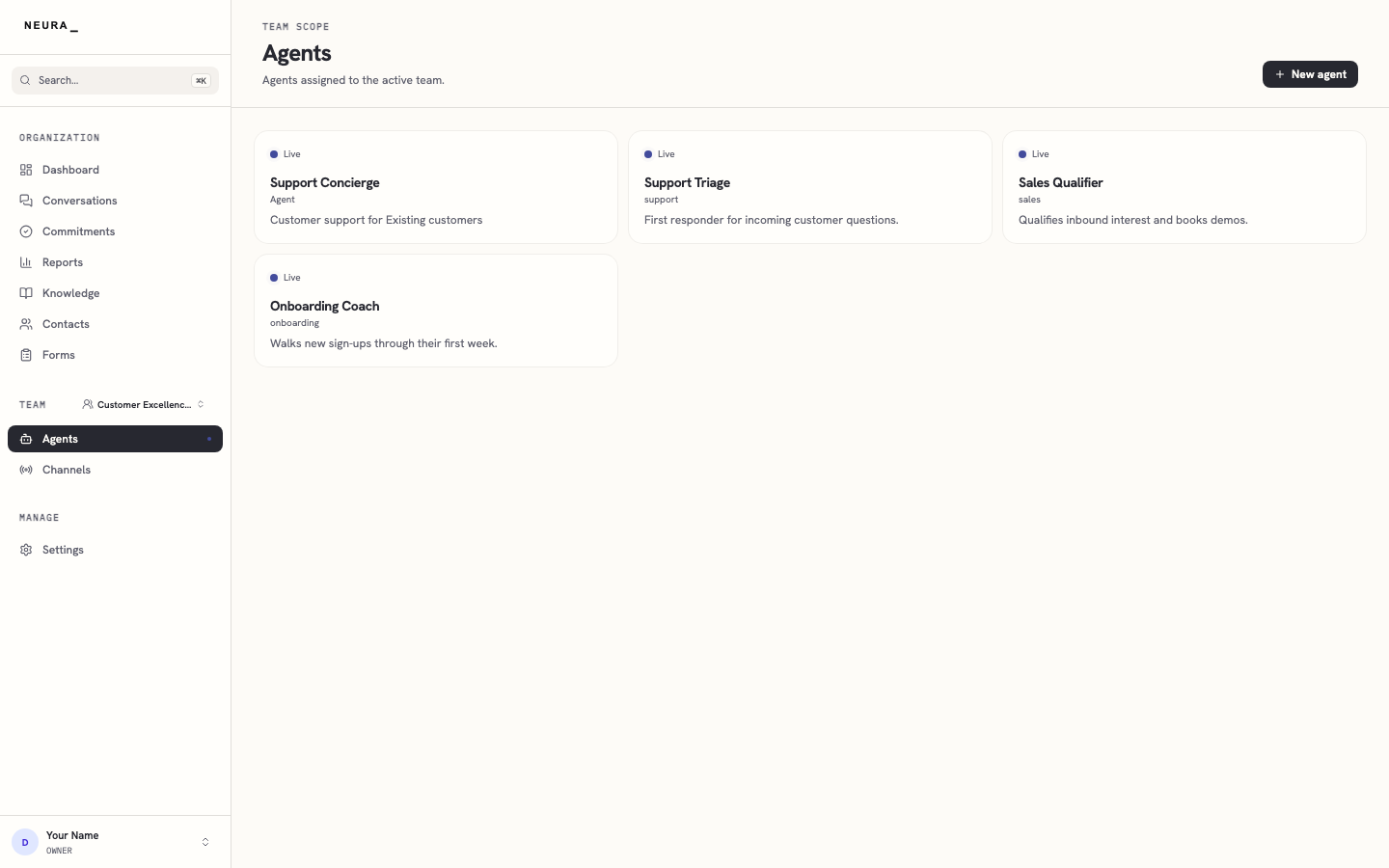
Open the Agents page.
-
Click + New agent.
-
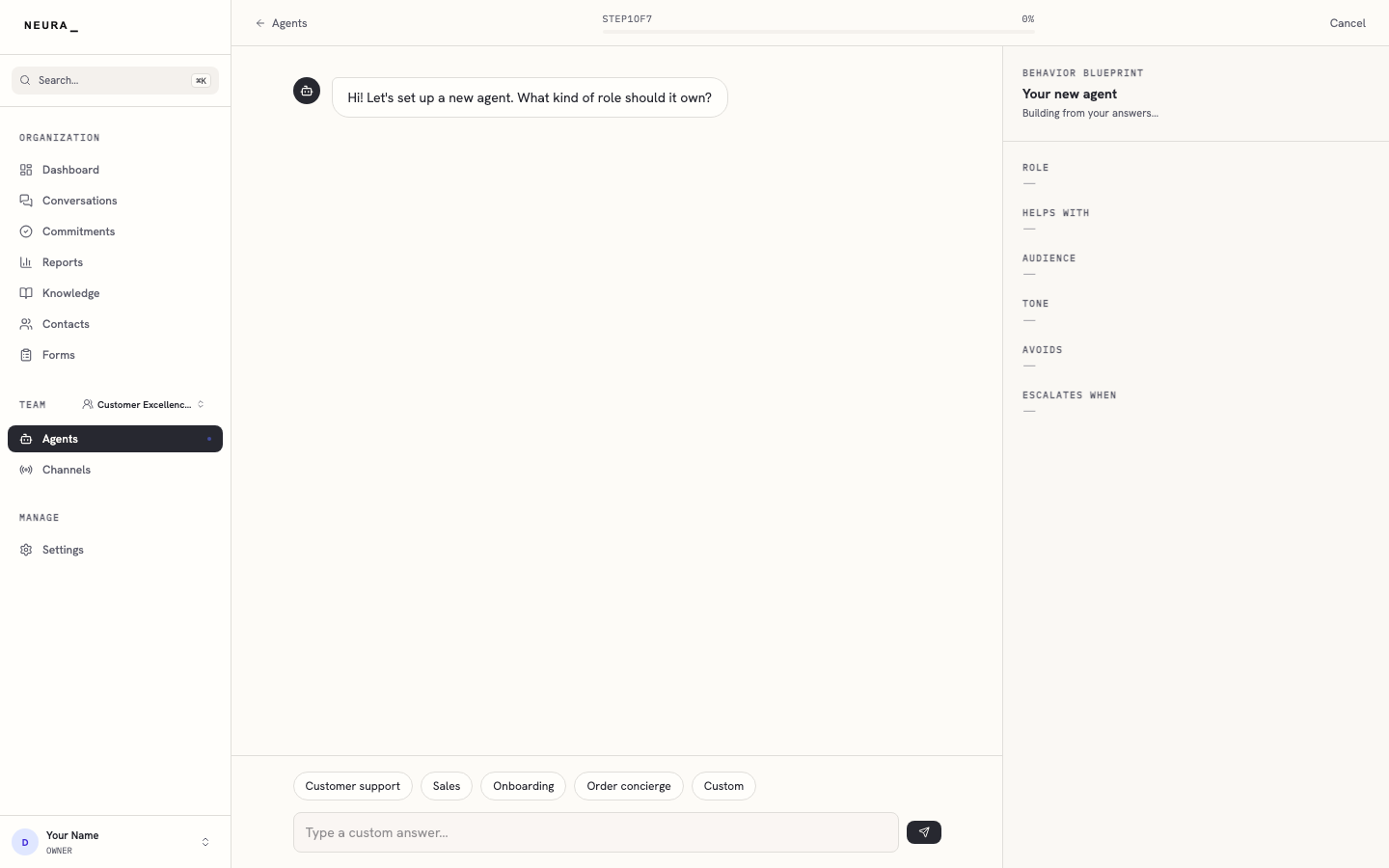
Wait for the wizard to load.
-
Select a role for your agent.
-
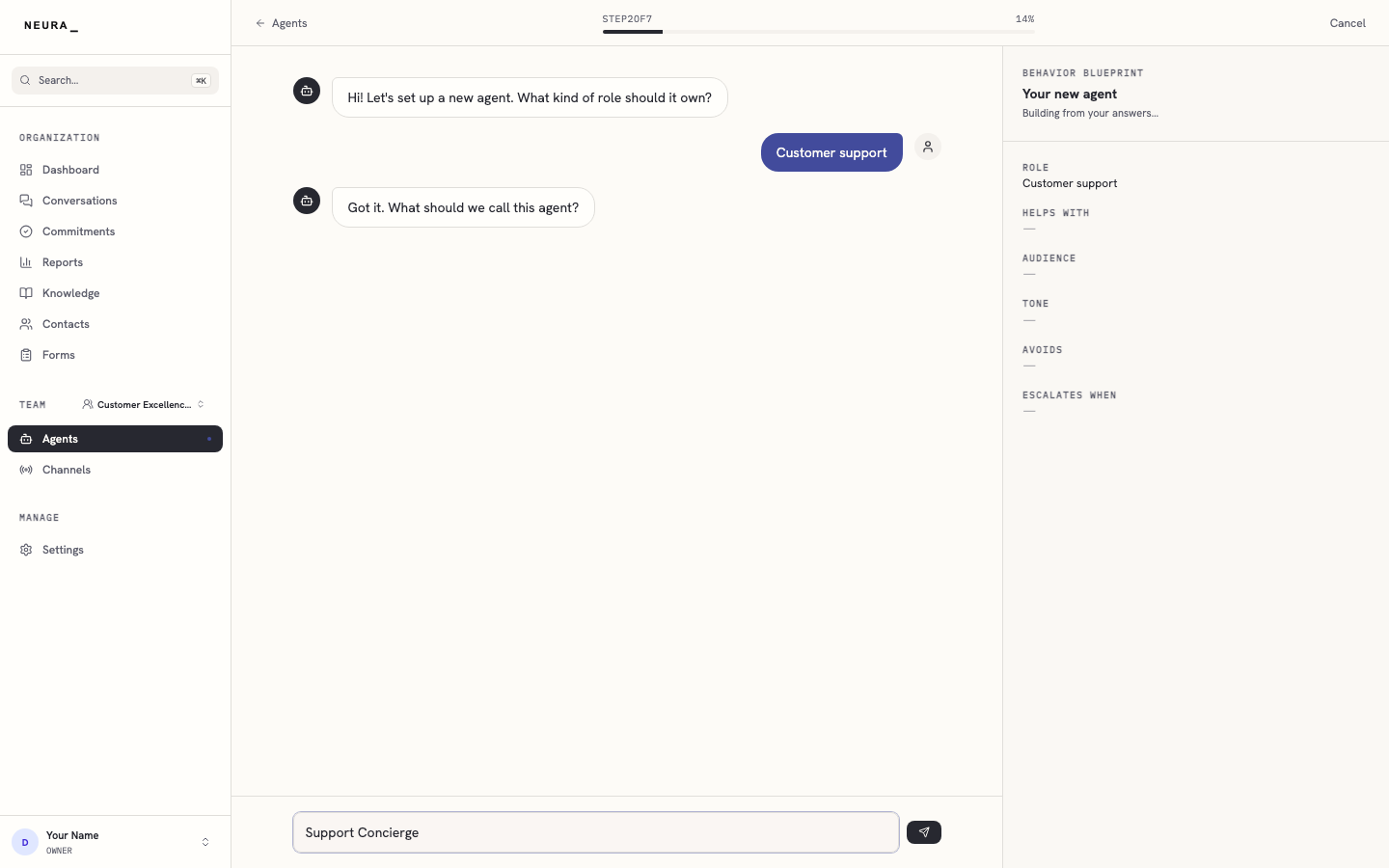
Enter a name for your agent.
-
Submit the name.
-
Select the first responsibility for your agent.
-
Select a second responsibility for your agent.
-
Continue to the audience question.
-
Select the audience.
-
Continue to the tone question.
-
Select the first tone trait.
-
Select a second tone trait.
-
Continue to the avoid question.
-
Select something the agent should avoid.
-
Continue to the escalation question.
-
Select when the agent should hand off to a human.
-
Review the blueprint and click Create agent.